The Problem
Truck and Bus dealers needed customizable inspection templates based on vehicle type to conduct inspections more efficiently.
The existing experience slowed down inspections, caused data loss in low‑network areas, and didn’t capture accurate defect details for service repairs.
Dealers also needed the app to work offline, especially in underground bays where internet access was unreliable.
Business Goal
-
Increase usage of inspection templates
-
Improve defect transparency between customers and dealerships
-
Capture detailed issue findings for future service planning
-
Encourage digital logging and smoother customer approval workflows
-
Protect in‑progress inspections with strong offline capability
Business Goal:
To build a foundational library capable of scaling across diverse ecosystems—from responsive web and mobile to specialized HMI devices—accelerating delivery timelines for multi-brand product suites.
The Challenge & My Role:
As the senior design team was transitioning into the world of Design Systems, team needed help to lead the execution and structural setup. My primary focus was on variable architecture and component alignment. I led a small team of designers, directing them on UI mockup creation once the core foundations were integrated. My responsibility was to ensure that every system element responded accurately across different brands and device types or breakpoints.
About
Role: UX Designer (Design + Design Library Management)
Team: 1 UX/UI Designer, 1 Design Lead
Duration: 8 Months
My Responsibility
As the UX Designer, I was responsible for:
-
Consolidating insights from dealer and inspector interviews
-
Redesigning the inspection experience based on business goals
-
Creating user flows across multiple connected applications
-
Designing low‑ and high‑fidelity mockups
-
Closing design‑to‑development gaps using clear specifications in Zeplin
How it started...
Description


Understanding the Ecosystem
Since the inspection app was part of a larger product suite, I began by mapping:
-
When and how inspectors enter the workflow
-
How vehicle details flow from other systems
-
How inspection data syncs with repair management tools
This helped us align the inspection journey with the entire service ecosystem.


Prioritizing Stories and Defining Design Principles
Design recommendations from research were translated into feature priorities to support phased delivery and iterative improvements.

Defining Design Principles
We created a set of design principles to ensure the inspection app stayed consistent with internal digital products and maintained a unified experience across the ecosystem.

Low‑Fidelity Exploration
Initial sketches explored:
-
Scanning vs. manual entry of VIN numbers
-
Task‑based inspection steps
-
Simplified form structure for faster inspections
These helped validate early ideas before moving to high‑fidelity designs.


Transforming the Experience
1. Faster Inspection Start
Introduced VIN scanning to replace manual entry of a 14‑digit number—saving time and reducing errors.

2. Simplified Question & Task Interaction
2. Simplified Question & Task Interaction
Redesigned the inspection form using a clear, structured pattern inspired by Google Forms. Users could see task status at a glance.

Defining various question types
3. Four Question Types
To handle different task behaviors, we defined four clear question formats:
-
Simple task
-
Single‑select
-
Multi‑select
-
Numeric / value entry

Handling pending inspection to avoid duplicates
4. Preventing Duplicate Inspections
Introduced a confirmation step that checks for existing pending inspections and prompts the user to complete them first.

Handling offline inspections
5. Robust Offline Mode
Collaborated with engineering to introduce:
-
Local device storage for ongoing inspections
-
Auto‑save
-
Auto‑submit when the device reconnects online

Integrating inspection with other application
6. Integration With Other Apps
Partnered with other product teams to embed inspection functionality directly into their applications—removing the need for technicians to switch between apps.

Design Handoff
For developer handoff, we used Zeplin to maintain a clean separation between design and development workspaces.


UI Component Documentation
I created a dedicated space for documenting all UI components, serving as a shared reference for BAs, designers, developers, and product owners. These specifications were uploaded to Zeplin, which automatically generated a style guide and token references to support the development team.

Achievements
Awards

Achievements
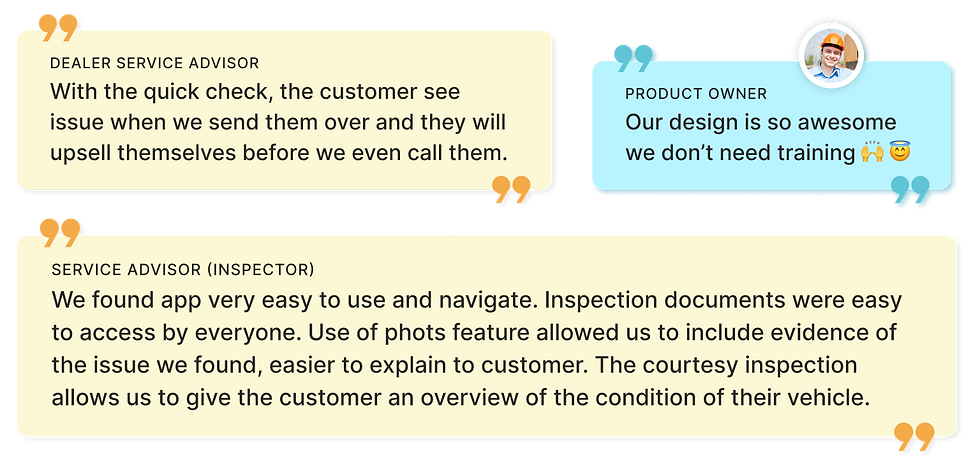
Testimonial


Analyzing Existing Notification Trigger Points
To understand the current notification landscape, I interviewed an experienced technical architect to identify all existing system communication trigger points. Subsequently, I conducted an open card sort with the Product Manager and Tech Lead to categorize these diverse trigger points originating from multiple sources.


Building the base variable/token architecture
The backbone of this project was the token strategy, and multi-brand with device scalability was the key challenge. On researching and studying the big companies design system and their structure, I tried to performed the below activities with team in establishing the base variable-token architecture.


Outcome
-
17.2% increase in app usage by dealers
-
Improved defect transparency thanks to shareable PDF reports
-
Real‑time action plans helped reduce vehicle dwell time
-
Business gained real‑time issue data for better planning
-
Multilingual support (English, French, Spanish) broadened adoption

What's Next?
Exploring hands‑free inspection concepts—moving beyond phones and tablets to smart‑watches or wearables so inspectors can work freely under vehicles.
Key Learnings
-
Designing offline‑first experiences requires careful planning and collaboration
-
Detailed developer handoff improves delivery speed and reduces rework
-
Understanding system‑to‑system communication is essential in enterprise apps
-
Small workflow improvements can create meaningful impact for technicians
-
Clear task structures reduce confusion and speed up inspections


